Commonly referred to as a page action button, this user interface option is a button added to the browser address bar. Users click the button to interact with extensions.
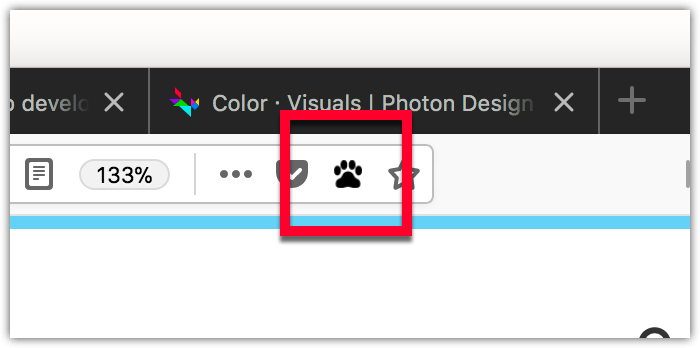
The address bar button (or page action) is similar to the toolbar button (or browser action).
The differences are:
show_matches
and
hide_matches
manifest key
properties), and you call
pageAction.show()
and
pageAction.hide()
to show or hide it in specific tabs.
Use a page action when the action relates to the current page. Use a browser action when the action relates to the browser as a whole or to many pages. For example:
| 类型 | Bookmarks action | Content action | Tabs operation |
|---|---|---|---|
| page action | Bookmark this page | Reddit enhancement | Send tab |
| browser action | Show all bookmarks | Enable ad-blocking | Sync all open tabs |
You define the page action's properties using the
page_action
key in manifest.json:
"page_action": {
  "browser_style": true,
  "default_icon": {
    "19": "button/geo-19.png",
    "38": "button/geo-38.png"
  },
  "default_title": "Whereami?"
}
The only mandatory key is
default_icon
.
There are two ways to specify a page action: with or without a popup .
pageAction.onClicked
:
browser.pageAction.onClicked.addListener(handleClick);
click
event is not dispatched. Instead, the popup appears when the user clicks the button. The user then interacts with the popup. When the user clicks outside of the popup, it closes automatically. See the
Popup
article for more details on creating and managing popups.
Note that your extension can have just one page action.
You can change any of the page action properties programmatically using the
pageAction
API。
For details on how to create icons to use with your page action, see Iconography 在 Photon Design System 文档编制。
webextensions-examples repository on GitHub includes the chill-out example which implements a page action without a popup.
最后修改: , 由 MDN 贡献者
