Add items to the browser's menu system.
This API is modeled on Chrome's
"contextMenus"
API, which enables Chrome extensions to add items to the browser's context menu. The
browser.menus
API adds a few features to Chrome's API.
Before Firefox 55 this API was also originally named
contextMenus
, and that name has been retained as an alias, so you can use
contextMenus
to write code that works in Firefox and also in other browsers.
To use this API you need to have the
menus
permission
. You may also use the
contextMenus
alias instead of
menus
, but if you do, the APIs must be accessed as
browser.contextMenus
代替。
Except for
menus.getTargetElement()
, this API cannot be used from content scripts.
To create a menu item call the
menus.create()
method. You pass this method an object containing options for the item, including the item ID, item type, and the contexts in which it should be shown.
Listen for clicks on your menu item by adding a listener to the
menus.onClicked
event. This listener will be passed a
menus.OnClickData
object containing the event's details.
You can create four different types of menu item, based on the value of the
type
property you supply in the options to
create()
:
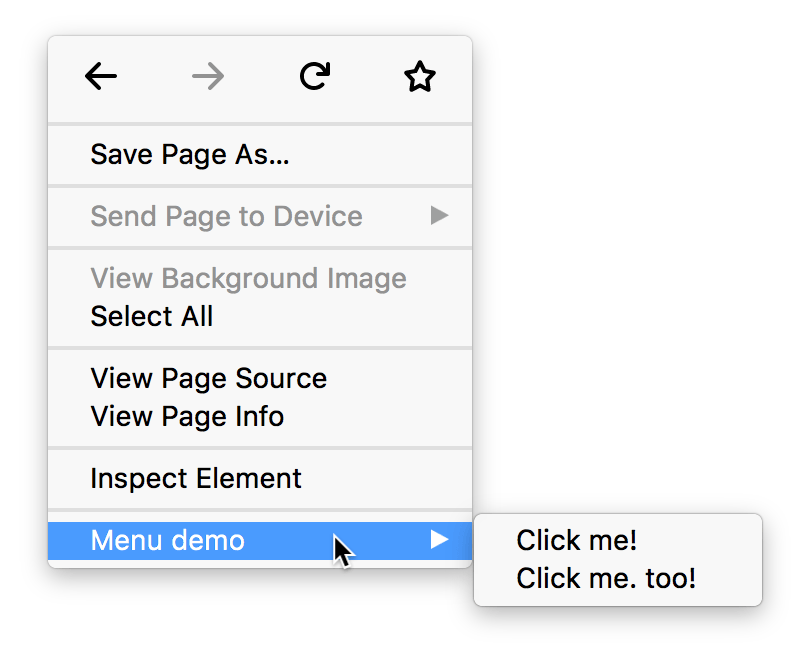
If you have created more than one context menu item or more than one tools menu item, then the items will be placed in a submenu. The submenu's parent will be labeled with the name of the extension. For example, here's an extension called "Menu demo" that's added two context menu items:
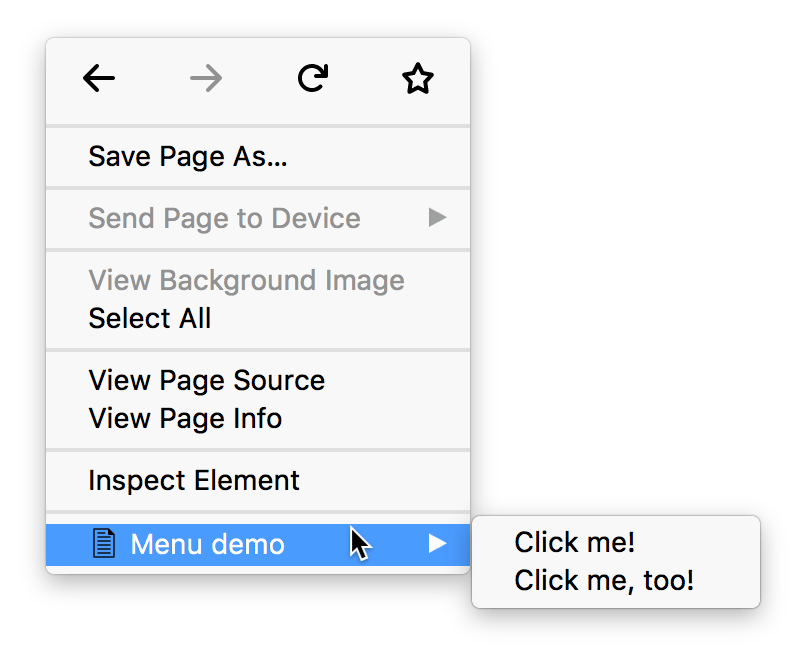
If you've specified icons for your extension using the "icons" manifest key , your menu item will display the specified icon next to its label. The browser will try to choose a 16x16 pixel icon for a normal display or a 32x32 pixel icon for a high-density display:
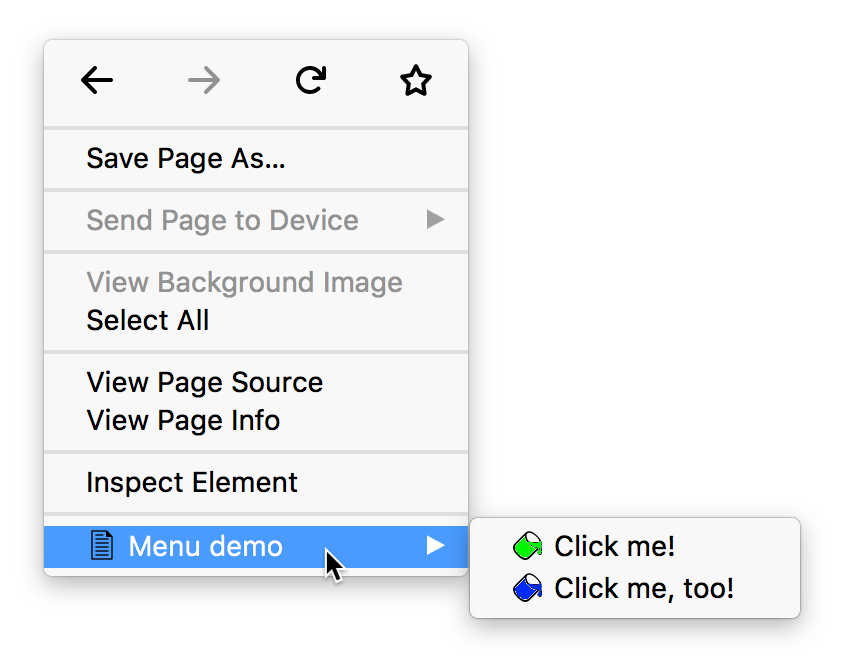
Only for items in a submenu, you can specify custom icons by passing the
icons
选项到
menus.create()
:
Here's a context menu containing 4 items: a normal item, two radio items with separators on each side, and a checkbox. The radio items are given custom icons.
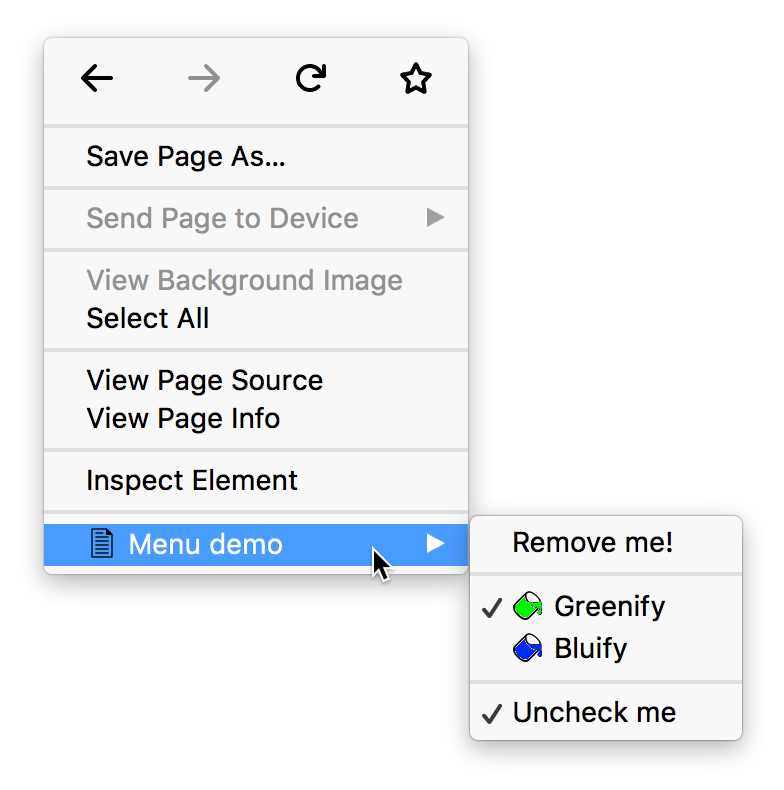 You could create a submenu like this using code like:
browser.menus.create({
  id: "remove-me",
  title: browser.i18n.getMessage("menuItemRemoveMe"),
  contexts: ["all"]
}, onCreated);
browser.menus.create({
  id: "separator-1",
  type: "separator",
  contexts: ["all"]
}, onCreated);
browser.menus.create({
  id: "greenify",
  type: "radio",
  title: browser.i18n.getMessage("menuItemGreenify"),
  contexts: ["all"],
  checked: true,
  icons: {
    "16": "icons/paint-green-16.png",
    "32": "icons/paint-green-32.png"
  }
}, onCreated);
browser.menus.create({
  id: "bluify",
  type: "radio",
  title: browser.i18n.getMessage("menuItemBluify"),
  contexts: ["all"],
  checked: false,
  icons: {
    "16": "icons/paint-blue-16.png",
    "32": "icons/paint-blue-32.png"
  }
}, onCreated);
browser.menus.create({
  id: "separator-2",
  type: "separator",
  contexts: ["all"]
}, onCreated);
var checkedState = true;
browser.menus.create({
  id: "check-uncheck",
  type: "checkbox",
  title: browser.i18n.getMessage("menuItemUncheckMe"),
  contexts: ["all"],
  checked: checkedState
}, onCreated);
menus.ContextType
The different contexts a menu can appear in.
menus.ItemType
The type of menu item: "normal", "checkbox", "radio", "separator".
menus.OnClickData
Information sent when a menu item is clicked.
menus.ACTION_MENU_TOP_LEVEL_LIMIT
The maximum number of top level extension items that can be added to a menu item whose ContextType is "browser_action" or "page_action".
menus.create()
Creates a new menu item.
menus.getTargetElement()
Returns the element for a given
info.targetElementId
.
menus.overrideContext()
Hide all default Firefox menu items in favor of providing a custom context menu UI.
menus.refresh()
Update a menu that's currently being displayed.
menus.remove()
Removes a menu item.
menus.removeAll()
Removes all menu items added by this extension.
menus.update()
Updates a previously created menu item.
menus.onClicked
Fired when a menu item is clicked.
menus.onHidden
Fired when the browser hides a menu.
menus.onShown
Fired when the browser shows a menu.
BCD tables only load in the browser
注意:
This API is based on Chromium's
chrome.contextMenus
API. This documentation is derived from
context_menus.json
in the Chromium code.
最后修改: , 由 MDN 贡献者
