JavaScript APIs for WebExtensions can be used inside the extension's background scripts and in any other documents bundled with the extension, including browser action or page action popups, sidebars , options pages ,或 new tab pages . A few of these APIs can also be accessed by an extension's content scripts . (See the list in the content script guide )。
To use the more powerful APIs, you need to
request permission
in your extension's
manifest.json
.
You can access the APIs using the
浏览器
名称空间:
function logTabs(tabs) {
  console.log(tabs)
}
browser.tabs.query({currentWindow: true}, logTabs)
Many of the APIs are asynchronous, returning a
Promise
:
function logCookie(c) {
  console.log(c)
}
function logError(e) {
  console.error(e)
}
let setCookie = browser.cookies.set(
  {url: "https://developer.mozilla.org/"}
);
setCookie.then(logCookie, logError)
Note that this is different from Google Chrome's extension system, which uses the
chrome
namespace instead of
浏览器
, and which uses callbacks instead of promises for asynchronous functions. As a porting aid, the Firefox implementation of WebExtensions APIs supports
chrome
and callbacks as well as
浏览器
and promises. Mozilla has also written a polyfill which enables code that uses
浏览器
and promises to work unchanged in Chrome:
https://github.com/mozilla/webextension-polyfill
.
Firefox also implements these APIs under the
chrome
namespace using callbacks. This allows code written for Chrome to run largely unchanged in Firefox for the APIs documented here.
Microsoft Edge uses the
浏览器
namespace, but doesn't yet support promise-based asynchronous APIs. In Edge, for the time being, asynchronous APIs must use callbacks.
Not all browsers support all the APIs: for the details, see Browser support for JavaScript APIs and Chrome incompatibilities .
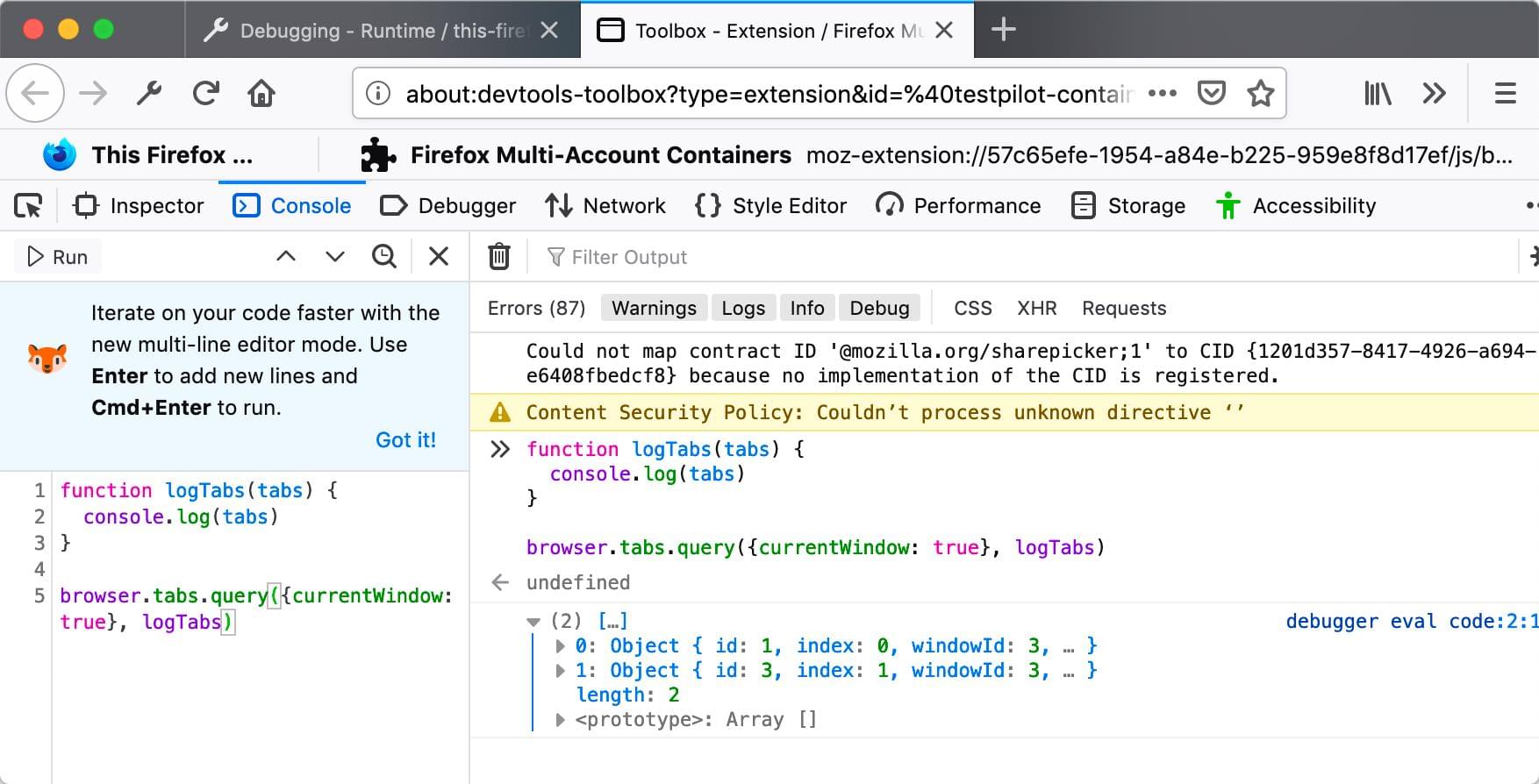
Throughout the JavaScript API listings, you will find short code examples that illustrate how the API is used. You can experiment using these examples— without needing to create a web extension—using the console in the Toolbox .
For example, here is the first code example on this page running in the Toolbox console in Firefox Developer Edition:
See below for a complete list of JavaScript APIs:
setTimeout()
and
setInterval()
, except that those functions don't work with background pages that are loaded on demand.
bookmarks
API lets an extension interact with and manipulate the browser's bookmarking system. You can use it to bookmark pages, retrieve existing bookmarks, and edit, remove, and organize bookmarks.
types.BrowserSetting
object, providing the ability to modify a particular setting.
clipboard
API (which is different from the
standard Clipboard API
) enables an extension to copy items to the system clipboard. Currently the WebExtension
clipboard
API only supports copying images, but it's intended to support copying text and HTML in the future.
命令
manifest.json key
.
Window
object for your extension's pages. Get the values for various settings.
history
API to interact with the browser history.
pkcs11
API enables an extension to enumerate
PKCS #11
security modules and to make them accessible to the browser as sources of keys and certificates.
proxy.onRequest
event listener to intercept web requests, and return an object that describes whether and how to proxy them.
BrowserSetting
type, which is used to represent a browser setting.
ws://
and
wss://
. The event listener receives detailed information about the request and can modify or cancel the request.
最后修改: , 由 MDN 贡献者
