pkcs11
API enables an extension to enumerate
PKCS #11
security modules and to make them accessible to the browser as sources of keys and certificates.
To use this API you need to have the "pkcs11" permission .
Perform the following steps:
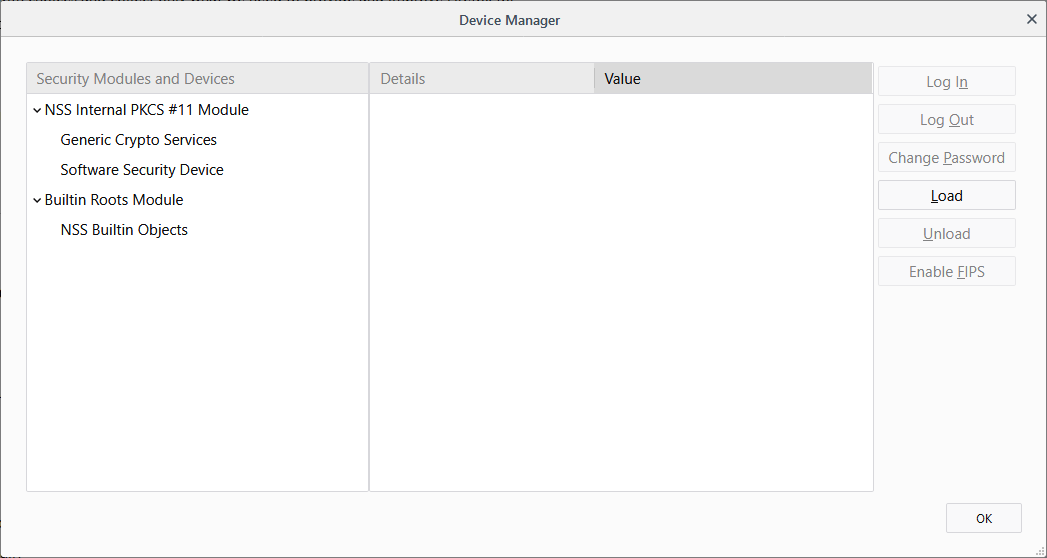
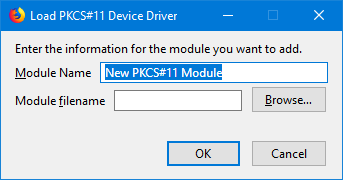
警告: Be careful about using international characters as there is currently a bug in Firefox where international characters may cause problems.
注意: Starting with Firefox 58, extensions can use the pkcs11 API to enumerate PKCS #11 modules and make them accessible to the browser as sources of keys and certificates.
There are two environmental prerequisites for using this API :
PKCS #11
modules must be installed on the user's computer
PKCS #11
module, there must be a
native manifest
file that enables the browser to locate the module.
Most probably, the user or device administrator would install the
PKCS #11
module, and its installer would install the native manifest file at the same time.
However, the module and manifest can't be installed as part of the extension's own installation process.
For details about the manifest file's contents and location, see Native manifests .
pkcs11.getModuleSlots()
For each slot in a module, get its name and whether it contains a token.
pkcs11.installModule()
Installs the named PKCS #11 module.
pkcs11.isModuleInstalled()
Checks whether the named PKCS #11 module is installed.
pkcs11.uninstallModule()
Uninstalls the named PKCS #11 module.
BCD tables only load in the browser
最后修改: , 由 MDN 贡献者
