A page action is a clickable icon inside the browser's address bar.
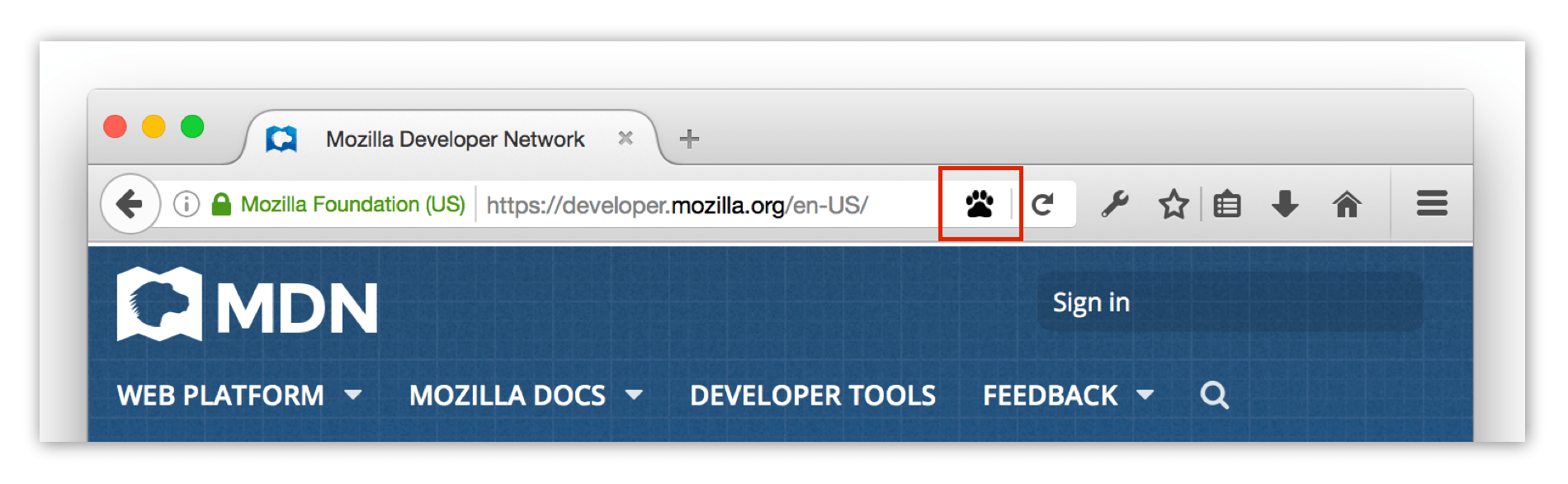
You can listen for clicks on the icon, or specify a popup that will open when the icon is clicked.
If you specify a popup, you can define its contents and behavior using HTML, CSS, and JavaScript—just like a normal web page. JavaScript running in the popup gets access to all the same WebExtension APIs as your background scripts.
You can define most of a page action's properties declaratively using the
page_action
key
在您的
manifest.json
, but can also redefine them programmatically using this API.
Page actions are for actions that are only relevant to particular pages (such as "bookmark the current tab"). If they are relevant to the browser as a whole (such as "show all bookmarks"), use a browser action instead.
pageAction.ImageDataType
Pixel data for an image.
pageAction.show()
Shows the page action for a given tab.
pageAction.hide()
Hides the page action for a given tab.
pageAction.isShown()
Checks whether the page action is shown or not.
pageAction.setTitle()
Sets the page action's title. This is displayed in a tooltip over the page action.
pageAction.getTitle()
Gets the page action's title.
pageAction.setIcon()
Sets the page action's icon.
pageAction.setPopup()
Sets the URL for the page action's popup.
pageAction.getPopup()
Gets the URL for the page action's popup.
pageAction.openPopup()
Opens the page action's popup.
pageAction.onClicked
Fired when a page action icon is clicked. This event will not fire if the page action has a popup.
BCD tables only load in the browser
注意:
This API is based on Chromium's
chrome.pageAction
API. This documentation is derived from
page_action.json
in the Chromium code.
Microsoft Edge compatibility data is supplied by Microsoft Corporation and is included here under the Creative Commons Attribution 3.0 United States License.
最后修改: , 由 MDN 贡献者
